
A call sheet you can follow through.
Speeding Studio creates call sheets from the production day you already planned. Publish a version, send it to your roster, and see who has confirmed before the next call time.

What goes into the call sheet?
Start with the day, not a blank document.
Set up the schedule, locations, cast and crew, call times, notes, contacts, and safety briefing in your production plan. Publishing captures those details in a versioned call sheet and creates a downloadable PDF.
Choose the detail your day needs.
Optional sections include weather, scenes, setups, equipment manifests, and a client logo, depending on your plan. The same published information supports the PDF and the recipient’s interactive view.
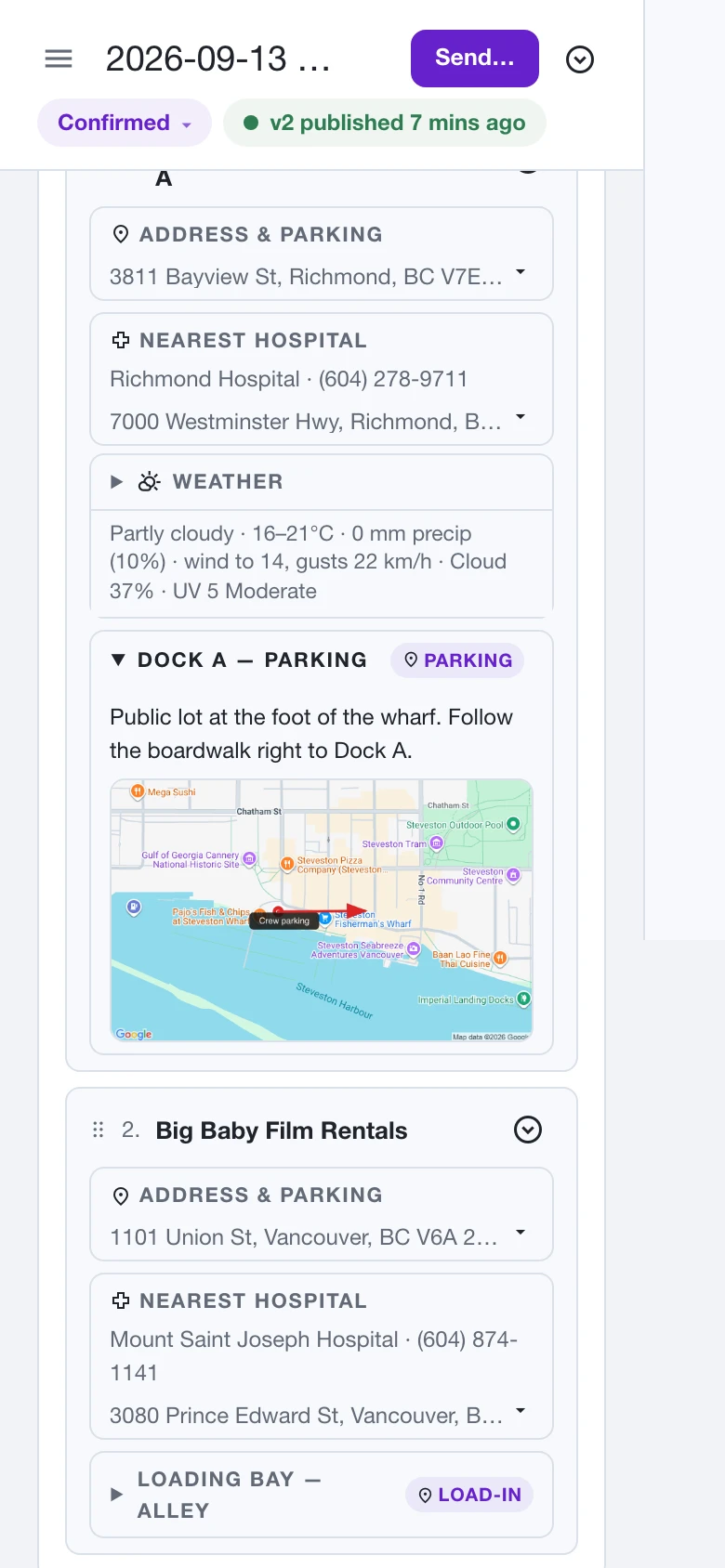
The right place. Down to the entrance.
Keep parking instructions and an annotated map alongside the location. The day plan can show the crew where to park and how to reach the right entrance.
Publish. Send. Confirm.
You decide when it goes out.
Publishing creates a version; sending is a separate, deliberate action. Choose recipients from the roster and send each person their own link. A change to the working schedule does not automatically email the crew.
Give the crew one clear action.
Recipients open their email link in a browser, with no account required. Confirmation records the version they confirmed and acknowledgment of that version’s safety briefing. They can also add the day to their calendar.
Follow up with the right people.
The day view distinguishes not sent, sent, confirmed, and confirmations of an older version. That makes an unanswered call sheet visible in the same place you manage the day.
What happens when the schedule changes?
Keep the published record intact.
Editing the day does not rewrite a published PDF. Review the unpublished changes and publish a new version when it is ready. Earlier versions remain available, so you can check what the production issued.
Ask for a fresh confirmation.
If someone confirmed an older version, their confirmation becomes stale when a newer one is published. Resending clears the previous confirmation and asks them to confirm again. The recorded version is the one they confirm, which can be newer than the version originally sent.
Before your next production.
Is this a call sheet template?
It creates a call sheet from the schedule, locations, and roster in your project. You edit the production plan rather than maintaining a separate spreadsheet template.
Do crew members need an account or subscription?
No account is required to confirm through an emailed call sheet link. Cast and crew participation is free.
Can I download a PDF?
Yes. Each published version has a downloadable PDF once rendering finishes.
Does opening the email count as confirmation?
No. Confirmation is an explicit recipient action. A sent sheet and a confirmed sheet have different statuses.
From the first quote to the next call time.
Explore the workflows behind a connected production office.
Casting & crew booking
Bring applications, offers, agreements, and readiness into the same production workflow.
Production quotes
Price the job by day, collect client approval, and keep each revision on record.